Posts

Showing posts with the label Tech Tip

Tech Tip: Twitter List

I have recently been more active on twitter. I have not used mine in college until recently, and even then it has just been to keep up with sports! I have loved seeing what ESPN has said about the Thunder and OU football. I used the tech tips to learn how to make a private list of just sports updates, since that is all I am interested in seeing when I use twitter anyway. This was very helpful and will optimize my time on twitter now! Here is my link to my twitter list:  https://twitter.com/e_disal/lists/sports

Tech Tip: Touch Typing Games

Image
I am currently applying to be a medical scribe. I have to take several typing test in order to get the job. I thought this game would be a fun way to practice my typing accuracy and speed. While the Ninja cat is fun, I did not find it very challenging. Other websites, while not as fun or creative, more accurately test your speed and accuracy. These are the two websites I have enjoyed the most: https://www.ratatype.com/typing-test/test/ http://www.keybr.com  When I was younger I used to play a spongebob typing game. It looked like this: Source: Moby Games It was a lot of fun, and taught me how to type fast.

Tech Tip: Google Timer

In the past I have always used my phone for a timer. Now I know that I can use Google as a timer. I like to work in time frames. For example, I will work on one class for an hour, then when that time is up work on another class. Having the ability to use a timer on my computer will be nice when I am doing homework or taking a break from studying to watch television.

Tech Tip: Weather Gadget

Image
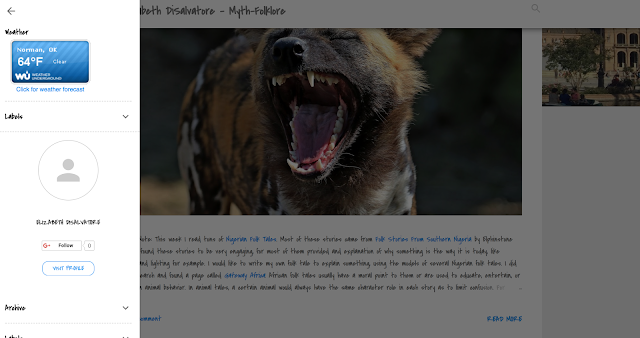
Attention Readers!!! You can now check the weather while reading my blog! Click my side-bar and the forecast is shown in the top left corner! How fun! If you want to add the forecast to your blog, click here:   There are several designs that you can choose from. I went with a simple blue one. It should look like this: Source: My Screenshots

Meme Generator Tech Tip

Image
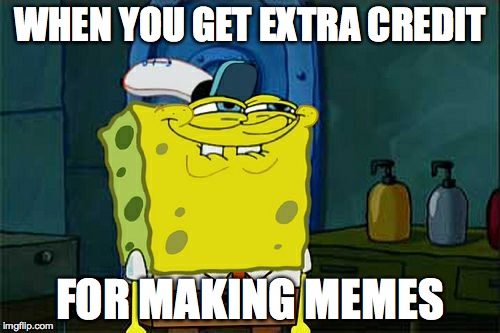
I used imgflip.com to make this meme. This was a lot of fun, and I plan on using memes more often now that I know how. What a fun was to earn extra credit! Spongebob's face says it all!

Tech Tip: YouTube Playlist

I love the Ellen show. However, I am always busy at 4pm when it comes on. YouTube is always quick to put up Ellen's best videos. I did not know how to create a YouTube Playlist - but thanks to this week's Tech Tip I now know how to! I made a short playlist of Ellen Videos!  <iframe width="400" height="400" src="https://www.youtube.com/embed/AcMmLmvOYTo" frameborder="0" allowfullscreen></iframe> I have only used YouTube to upload videos for school assignments, though I wish I was funny and creative enough to make my own videos! I have not created playlist in the past, but I look forward to doing that in the future now that I know how. For the most part, I just use youtube to look up music videos and movie trailers. I also use it to study. If I am confused on a topic, I YouTube it to find videos to help teach me. Now I can make playlist of good instructional videos!